Know exactly where
your money is going.
Privately.
Cash Flow Tool projects your bank balance week by week, so you always see what's coming: bills, paychecks, credit card payments, and more.

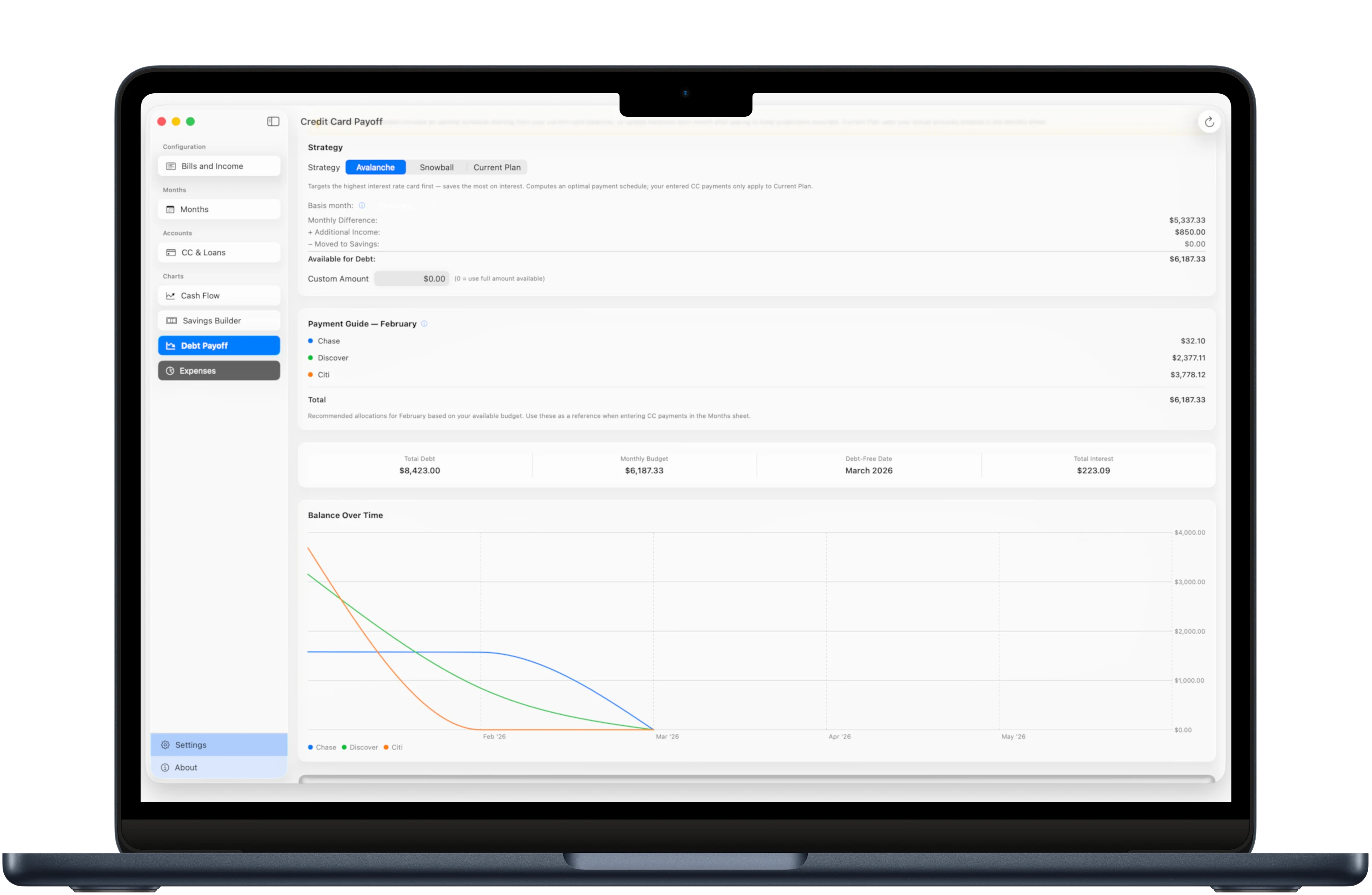
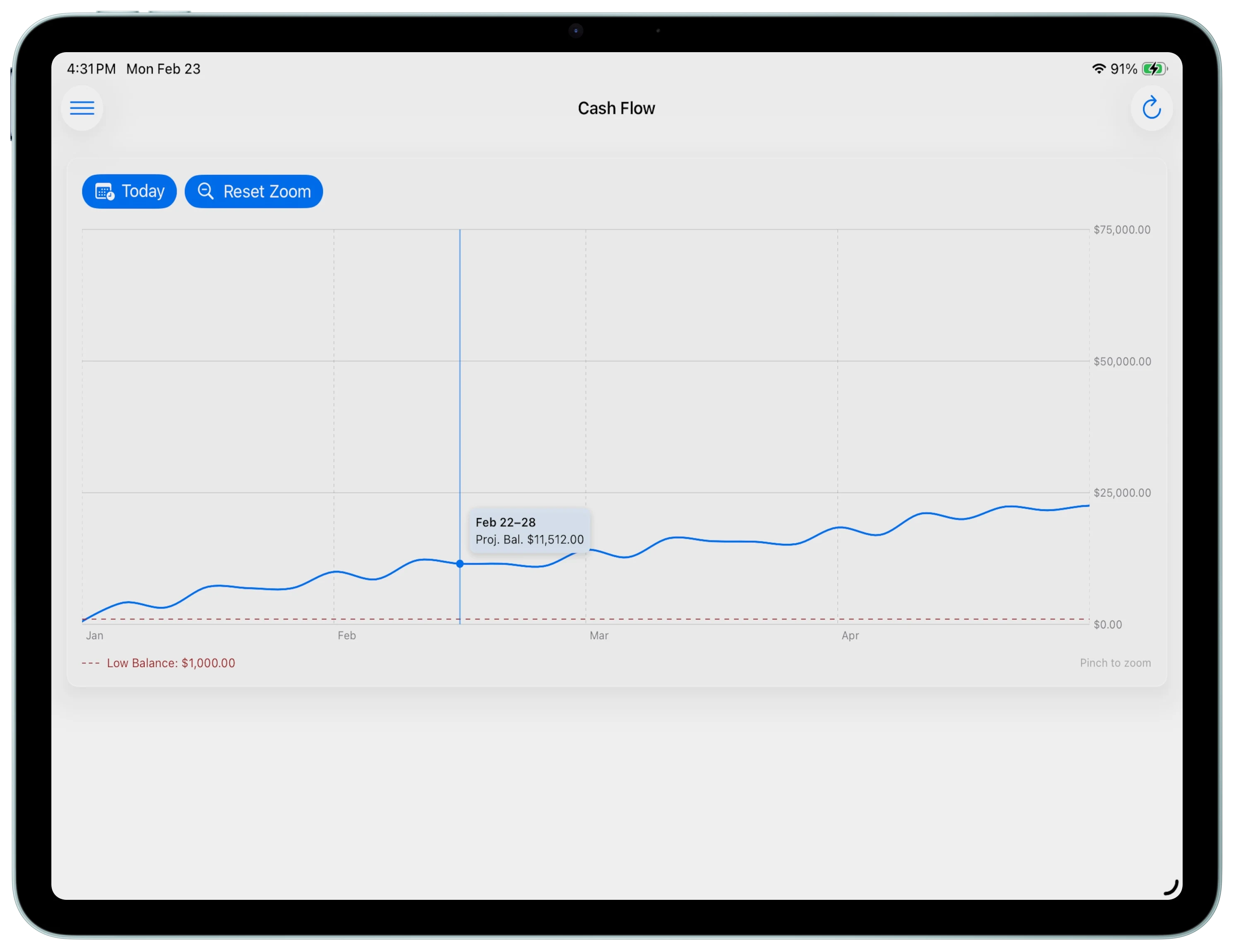
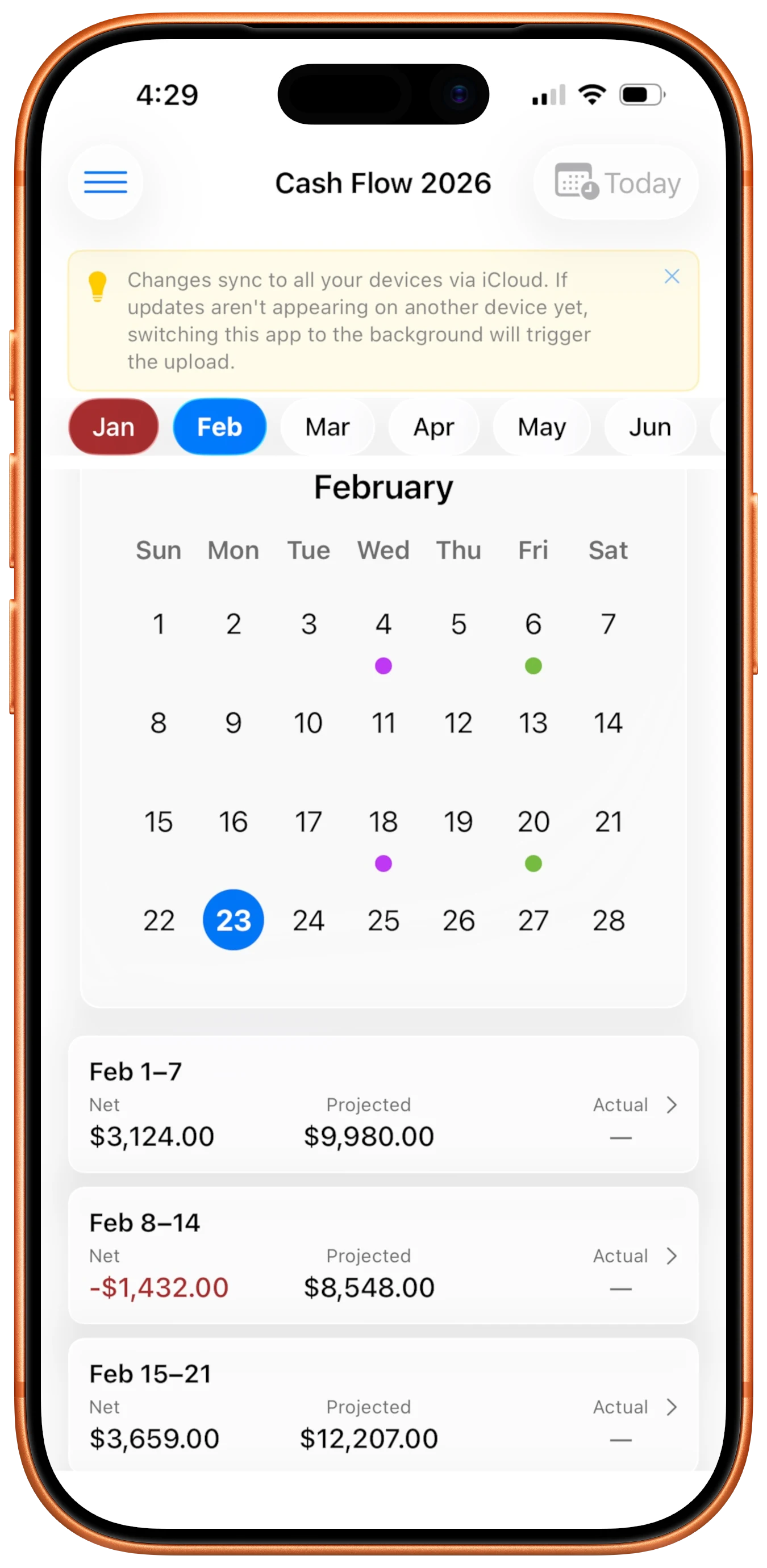
Cash Flow Tool projects your bank balance week by week, so you always see what's coming: bills, paychecks, credit card payments, and more.
Installed mid-year? Open Settings → Tracking Start and pick the month you started. Earlier months are hidden from your year view — purely cosmetic, with no impact on your data or projections.
Most budgeting apps track what you've already spent. Cash Flow Tool shows you what's about to happen, so you can plan ahead rather than just reflect.
Add your recurring bills, income sources, credit cards, and loans. The engine handles everything from there.
A rolling projection shows your bank balance week by week, with all known cashflows already factored in.
Each week, log your actual balance and any one-time income or expenses. The projection recalculates forward instantly.
Enter each paycheck with its amount, cadence (weekly, biweekly, semi-monthly, or monthly), and an anchor date. The engine calculates exactly which weeks each payment lands in.
Add everything that leaves your account regularly: rent, subscriptions, utilities, insurance. Set the amount, due day, and category.
Enter card balances, credit limits, and interest rates. For loans, toggle "Add to Bills" to automatically include payments in your cash flow projections. The Debt Payoff Calculator covers everything in one unified view.
Open the Months page for a week-by-week breakdown, or the Cash Flow Chart for a visual overview. The projection is always live.
Tap into any week to record your actual balance, one-time expenses or windfalls, and credit card payments. This keeps your projection accurate over time.
Once you've completed these steps, check out the How-to Guide for a deeper look at each feature.
Manage all recurring expenses in one place. Categorize them, set due days, and the engine distributes them across the right weeks automatically.
Supports weekly, biweekly, semi-monthly, and monthly pay schedules. Track multiple income sources independently with full cadence control.
Track balances, interest rates, and payment history. Add loans to your bills with one toggle so your cash flow projections include every obligation automatically.
A scrollable, zoomable chart of your projected bank balance across the year ahead. Tap any week to see details. Low-balance periods are highlighted automatically.
Create savings goals and see exactly when you'll hit them based on your projected cash flow. Supports multiple buckets with income-source allocation.
A unified calculator for credit cards and loans. Choose Avalanche or Snowball strategy and see your projected debt-free date and total interest saved.
$0
$1.99 one-time
Everything in Free, plus:
Already purchased the app before it went free? You're automatically upgraded to Pro.
Cash Flow Tool syncs automatically across all your devices via iCloud. No account to create, no third-party server. Your data lives in your iCloud account.
You can also share with a partner or family member directly through iCloud, so both of you can see and update the same projections in real time.
Mac
iPad
iPhone
Most budgeting apps require you to link your bank account through a third-party aggregator. When you do that, your transaction history, account numbers, routing numbers, and balances are collected and stored on their servers. Read the privacy policies carefully and you will find that this data is shared with affiliates, service providers, advertising partners, and other third parties. It is used to improve their products, personalize ads, and for other "business purposes." In many cases, they retain your financial data even after you stop using the service. And you pay a monthly subscription for this arrangement.
Cash Flow Tool takes a different approach. You enter your own numbers, which means projections are forward-looking instead of backward-looking. Instead of showing you what already happened, it shows you what is coming. No credentials leave your device, no third party ever sees your data, and there is no subscription. The app is free to start, and the full unlock is a one-time purchase.
Automatic imports tell you where your money went. Manual entry forces you to plan where it is going. When you enter your bills, income, and balances yourself, you build awareness of your cash flow that no automated sync can replicate. You also avoid the security risk of sharing bank credentials with third-party services, and you never have to troubleshoot a broken bank connection.
Completely. Your data is stored on your device and in your private iCloud account. There are no analytics, no telemetry, no servers, and no third-party SDKs. The app has no account system and collects nothing. Your financial information never leaves Apple's ecosystem.
No. The app is free to download with core features included. Cash Flow Pro is a one-time $1.99 purchase that unlocks everything. No recurring fees, no trials, no surprise charges. You pay once and own it. Every future update is included.
The projections are as accurate as the data you enter. If your bills and income are correct, the projected balance is a precise calculation, not an estimate. The engine builds a rolling 52-week chain from your most recent confirmed balance, adding income and subtracting expenses week by week. The more often you enter your actual bank balance, the tighter the projection stays over time.
Cash Flow Tool runs natively on Mac, iPhone, and iPad. Each platform has an interface tailored to that device. Mac and iPad share a full table layout while iPhone has a mobile-optimized flow. All three sync automatically via iCloud.
Yes. Through the Settings page, you can invite someone via iCloud sharing. Once they accept, both of you see and edit the same budget in real time across all your devices. No separate accounts or logins required.
Nothing breaks. The projection continues forward from the last actual balance you entered. You can always correct things by entering your current balance for any past or present week. The app self-corrects from that point forward.
Want to learn more about each feature? Visit the How-to Guide.